 DocuAssist.AI Guide
Budget and usage
The Budget and usage tab shows how the chatbot is used and lets you cap what it spends.
Usage
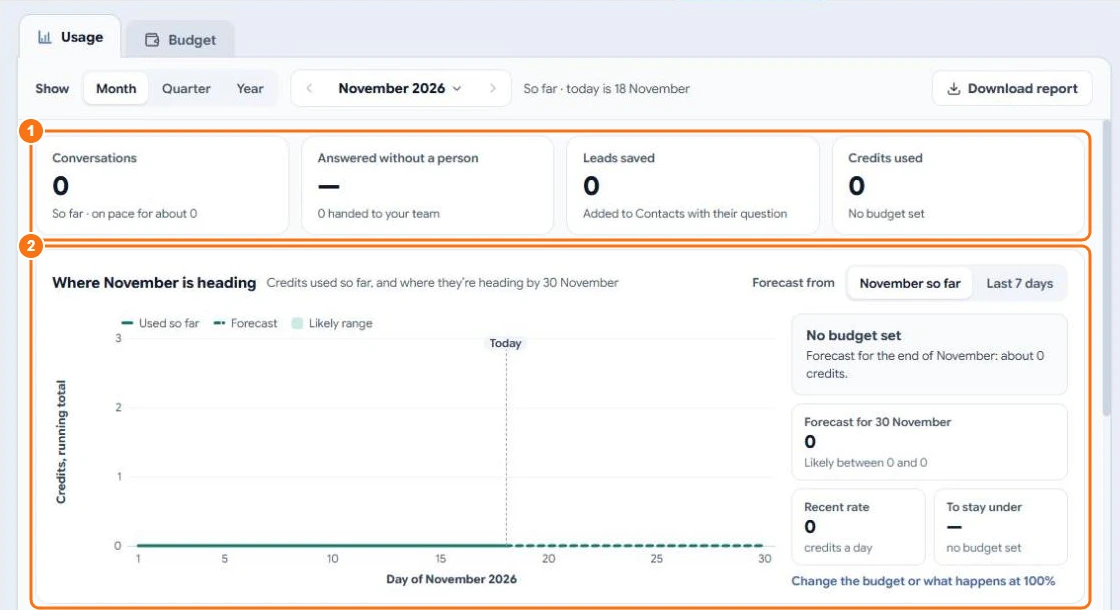
Choose a month, quarter or year to see (1):
- Conversations and how many it answered without a person;
- Leads saved to Contacts;
- Credits used.
Where the month is heading (2) forecasts the credits by the end of the month from your usage so far or the last 7 days. Further down you see credits and conversations per day, where the credits went, and the questions asked most — grouped by meaning, so "opening hours?" and "when are you open?" count as one. Select a question that isn't in your saved answers to Add to FAQ.
Select Download report for a spreadsheet of everything on the page.
Budget
Open the Budget sub-tab to set:
- Monthly budget — credits a month for this chatbot, reset on the 1st. Leave empty to use your workspace balance freely.
- When it runs out — pause the chatbot and show your contact details, or keep answering and tell you.
- Alerts — at 50%, 80% and 100%, and when the forecast says the budget will run out early. Choose in the app, by email or both, and who gets them.
- Messages per visitor per day — so one person can't run up your bill.
Related
Last updated on November 18, 2026