 DocuAssist.AI Guide
Supported file types and viewers
DocuAssist.AI is built around PDFs, but you can keep and read your other office files too. Every file opens in your browser — nothing is sent to another service to display it.
What opens where
| File type | Extensions | Opens in | What you can do |
|---|---|---|---|
| The PDF editor | Everything: annotate, edit text, sign, fill forms, organize pages, PDF tools. See Open and view a PDF. | ||
| Word | docx | Document viewer | Read, zoom, search, ask Atlas AI, print, download. |
| Excel | xlsx, xls | Spreadsheet viewer | Read every sheet with formulas, select cells to see their sum, average and count, ask Atlas AI. |
| PowerPoint | pptx | Slide viewer | Step through slides with thumbnails, or scroll on a phone, ask Atlas AI. |
| Text and Markdown | txt, md | Text editor | Read, edit and Save. |
| Pictures | png, jpg, jpeg, webp | Image editor | Rotate, crop, make grayscale, resize, Save, ask Atlas AI. |
| Pictures | gif, bmp | Image viewer | Read and ask Atlas AI. |
| Older Office files | doc, ppt | Download only | Store and download. |
| eml | Email viewer | Read the email and its attachments. |
Edit text and Markdown files
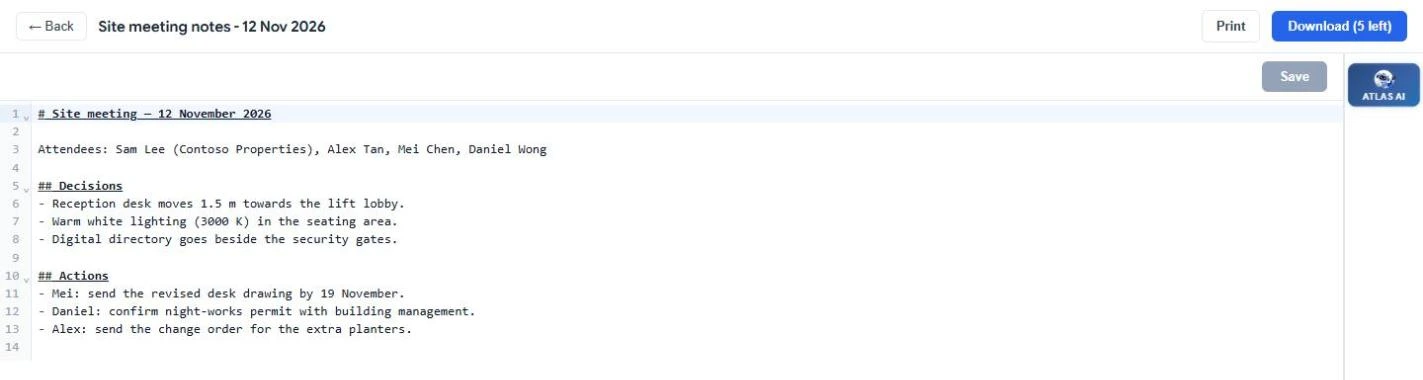
Open a .txt or .md file, change it, and select Save. The search index is updated so the new text can be found.
Edit pictures
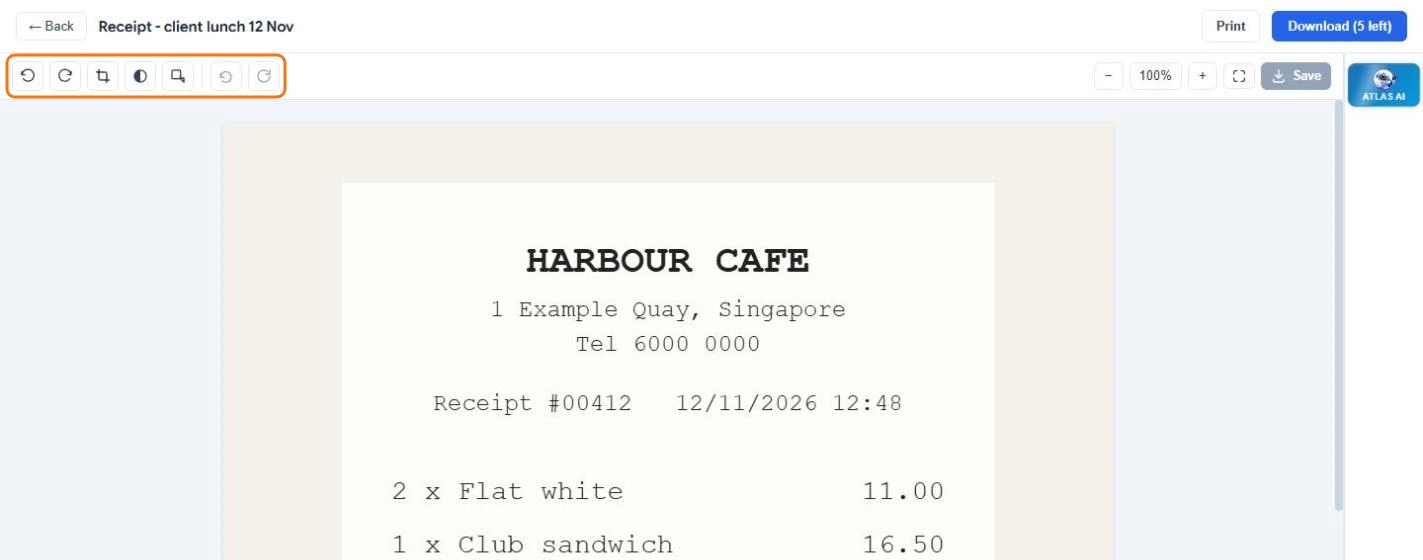
- Open a png, jpg, jpeg or webp picture.
- Use the tools at the top left: Rotate left or right, Crop, Convert to grayscale and Resize. Undo steps back, and Discard throws away all unsaved changes.
- Select Save to replace the stored picture.
The text in pictures is recognised when you upload them, so a photo of a receipt or a whiteboard can be searched and Atlas AI can read it.
Ask Atlas AI about any file
Every viewer except the download-only ones has Atlas AI on the right (a button at the bottom on a phone). Ask questions about the file you have open. See Ask Atlas AI about a document.
Signing, reviews, PDF tools and Protect & Send work with PDFs only. To use them on a Word or PowerPoint file, save it as a PDF first and upload the PDF.