 DocuAssist.AI Guide
Create documents with Atlas AI
Atlas AI can write a Word or Excel document from what is in your project: a status report, a proposal, a comparison of quotes, a translation, or a filled-in form. For anything longer than a note, it first proposes a plan you can check and change.
Ask for a document
On the Ask Atlas AI tab, describe what you want and the format, for example: "Write a weekly status report for the client as a Word document: progress, open items, risks and next steps."
Check the plan
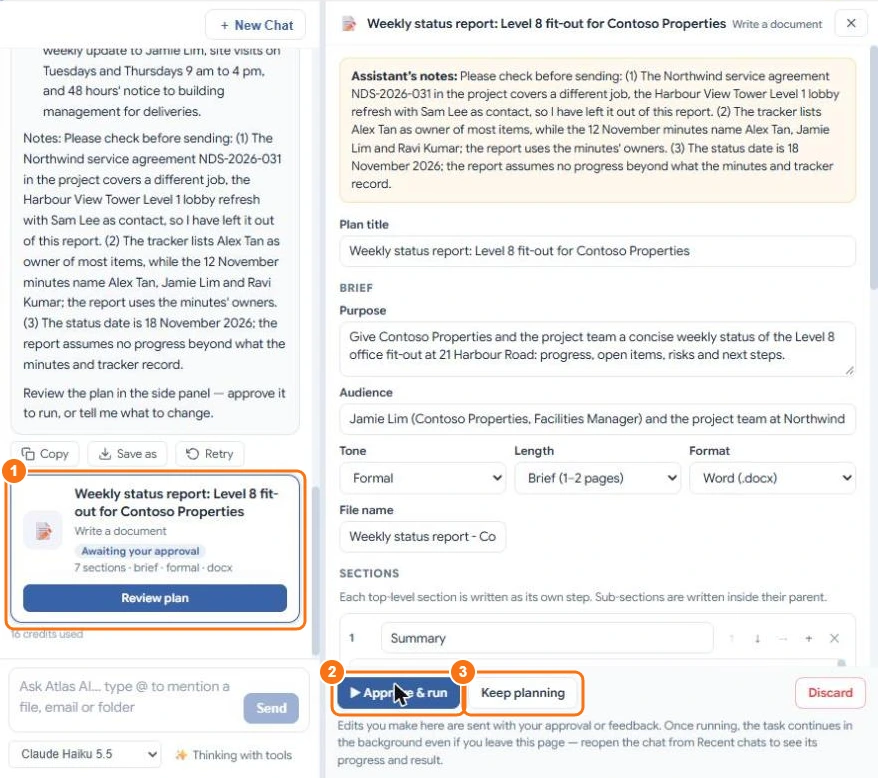
Atlas AI shows a plan card in the chat (1) and opens the plan on the right. The plan lists:
- the purpose and audience, tone, length and format (Word or Excel);
- the file name;
- the sections, each with what it will cover — add, remove, reorder or nest them;
- for some documents, a cover page or one of your own Word templates to fill in.
Atlas AI also adds notes about anything it wants you to check, such as a document in the project that belongs to another job.
Then choose:
- Approve and run (2) — Atlas AI starts writing.
- Keep planning (3) — tell Atlas AI what to change; it proposes a new version of the plan.
- Discard — drop the plan.
Atlas AI writes it
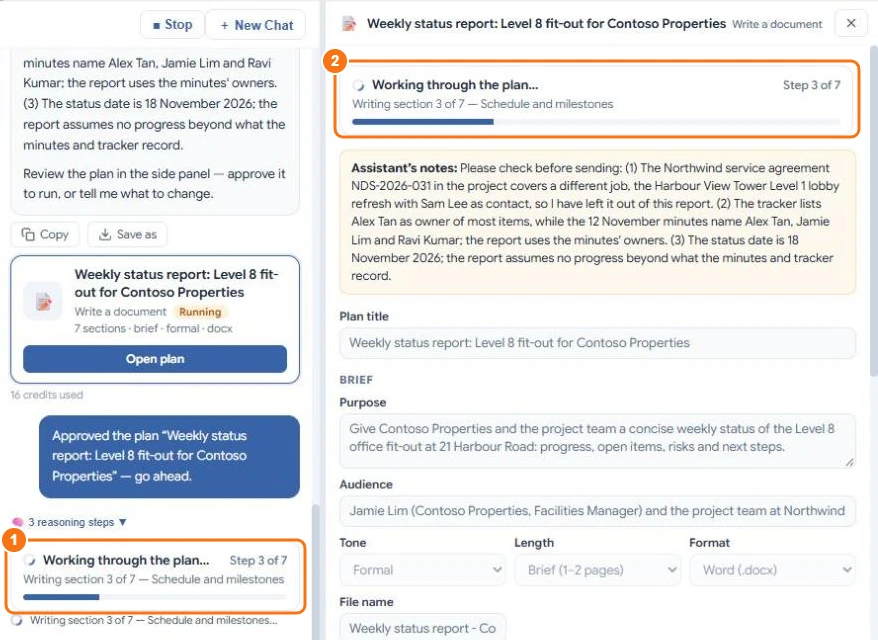
Atlas AI writes one section at a time and shows its progress (1, 2). It keeps working even if you leave the page; reopen the chat from Recent chats to see the result.
Open the result
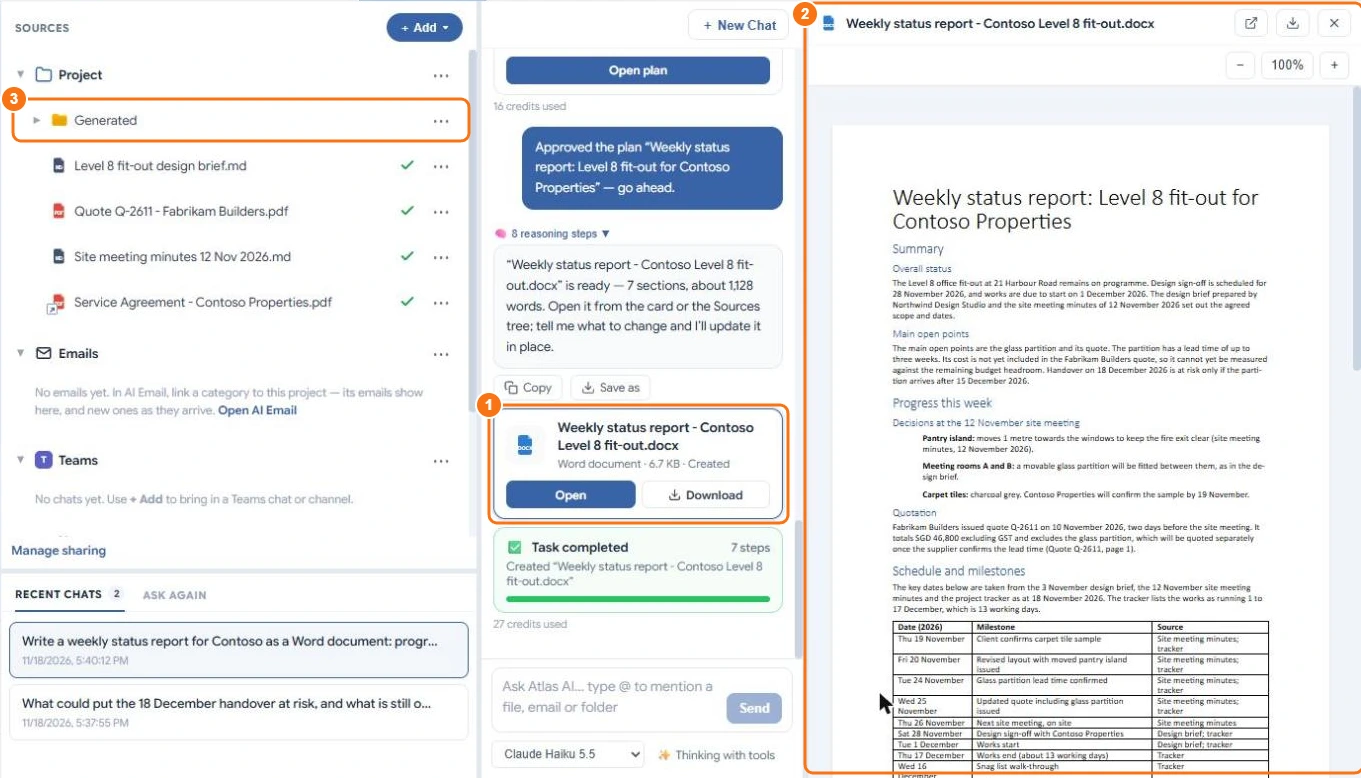
When it is done, the chat shows a file card (1) with Open and Download, and the document opens in the preview (2). It is saved in the project's Made by Atlas AI folder (shown as Generated in My Documents) (3), so Atlas AI can read it too.
To change the document, tell Atlas AI what to change in the same chat. A document Atlas AI made is updated in place. A file you uploaded is never overwritten: Atlas AI saves its changes as a copy with "(edited)" in the name.
Other things Atlas AI can do this way
- Compare documents — for example two quotes, as a table in the chat or a Word report.
- Translate a document — saved as a new file in the language you choose.
- Fill in a template — fill a form or your own Word template with facts from the project. Anything it can't find is left blank and listed.
What it costs
You pay for the planning and the writing, by the work done. As an example, a two-page weekly report took 16 credits to plan and 27 credits to write with Claude Haiku 5.5. Longer documents and larger models use more. See Credit rates.
Read the document before you send it. Atlas AI writes from what is in the project, and it can be wrong.