 DocuAssist.AI Guide
Introducing DocuAssist.AI
Welcome to DocuAssist.AI, the AI document platform from FastTech.AI. It brings your documents, emails, signatures and projects together in one place, with Atlas AI — an assistant that reads your files and emails and answers with sources you can check. Everything runs in your web browser, on a computer or a phone, with nothing to install.
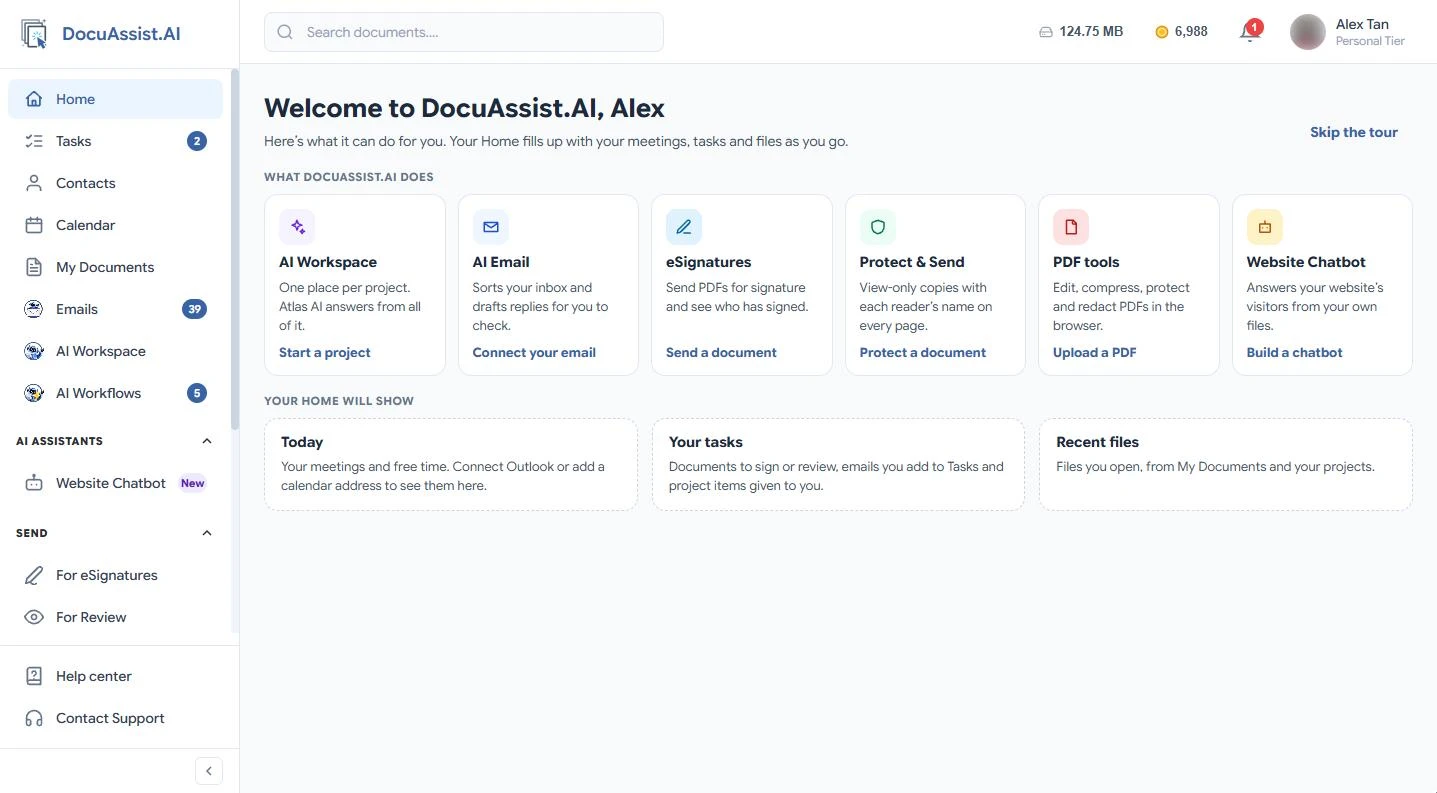
What you can do
Work with documents
- Store and organise your files. Upload files and whole folders, tag them, search inside them, and find older copies with Version Finder. See Upload files.
- Edit PDFs in your browser. Change text, highlight, draw, fill in forms, add comments, and redact what nobody should see. See Open and view PDFs.
- Use the PDF tools. Compress, merge, split, password-protect, watermark or set an expiry date — for one file, or for a whole folder at once. See Bulk PDF tools.
Send and share
- Get documents signed. Send several documents in one request. Signers open it from their email, with no account needed. See Send for signature.
- Ask for a review. Collect comments on one or more documents. See Send for review.
- Share safely. Share with view, comment or edit access — or send a view-only copy with Protect & Send, which carries each reader's name, can expire, and can be taken back. See Protect and send a document.
Work with AI
- Ask Atlas AI about any document and get answers with their sources. See About Atlas AI.
- AI Workspace gives each project one place for its files, emails, Teams chats, notes, links and tracker. Atlas AI answers from all of it and writes Word and Excel documents for you. See AI Workspace overview.
- AI Email reads your Outlook, Gmail or other mailboxes, puts what is important first, sorts the rest into your categories, and drafts replies for you to check and send from your own address. See Get started with AI Email.
- AI Workflows take routine work off your hands, such as filing email attachments or answering enquiries. Start from a recipe or describe what you need. See AI Workflows overview.
- Website chatbot answers your website's visitors from your own documents and pages. See Website chatbot overview.
Stay on top of your day
Home, Tasks, Calendar and Contacts show what needs you, what is due and who you work with. See Your Home.
Get started
New here?
Follow the Quick start to upload your first document and try Atlas AI in a few minutes.
- Find your way around
- Sign up and sign in
- Plans and pricing — start free on the Basic plan, with no card needed.
- How credits work
Your data stays yours
Your files are stored in Singapore, and they are never used to train AI. See the Security overview.
Need help?
- Frequently asked questions
- Troubleshooting
- In DocuAssist.AI, select Contact Support at the bottom of the menu, or email [email protected].
Last updated on November 20, 2026