 DocuAssist.AI Guide
Open a protected document
When someone sends you a document with Protect & Send, you get an email with a secure link. The document opens in a view-only viewer: you can read it, but not download, print or copy it.
Open it
- Select the link in the email.
- Sign in to DocuAssist.AI, or create a free account with the email address the document was sent to.
- The document opens in the secure viewer.
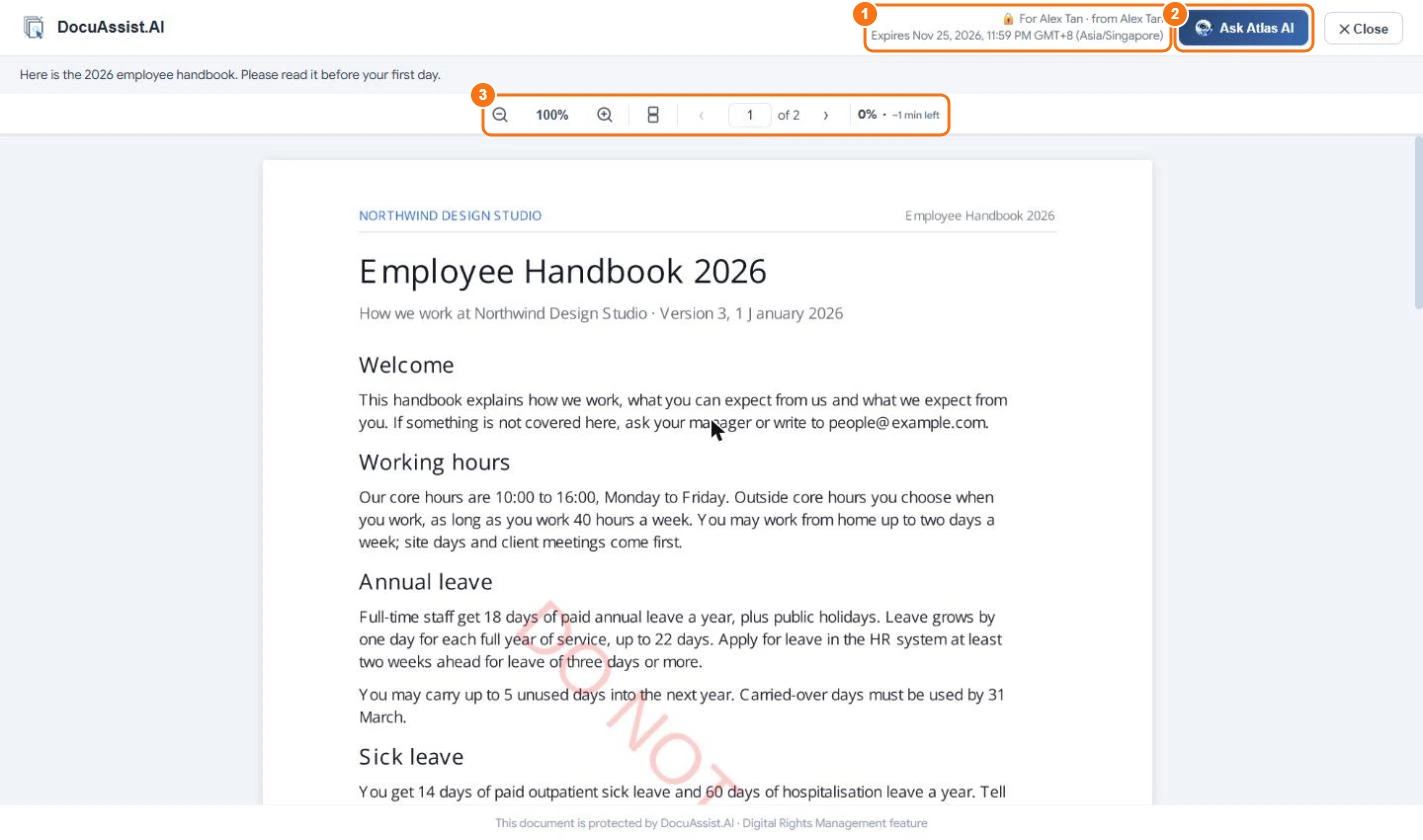
At the top you see who it is for, who sent it and when access ends (1), and the sender's message if they wrote one. Use the page and zoom controls (3) to read it; the view options switch between one or two pages and continuous scrolling or page by page.
Ask Atlas AI about it
If the sender allowed it, select Ask Atlas AI (2) and ask a question about the document. Answers point to the pages they come from.
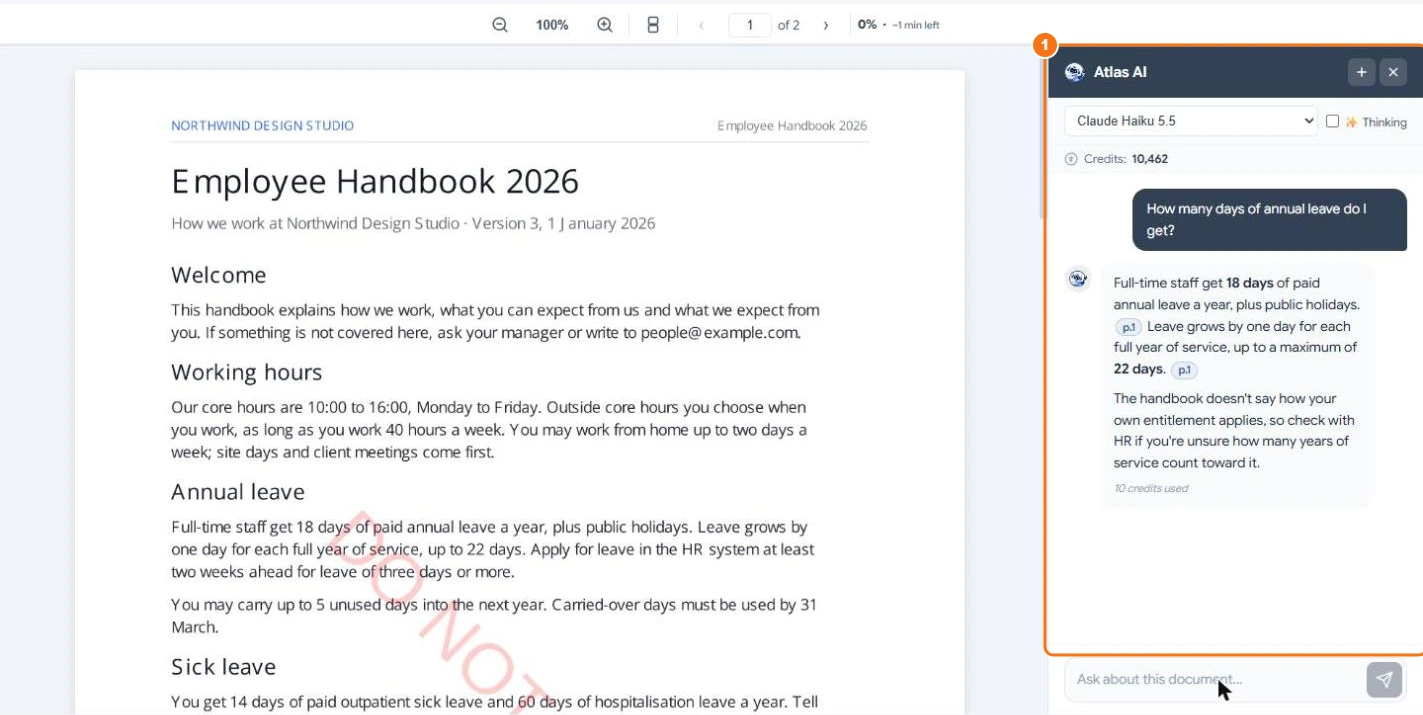
Questions use credits from your own balance. Your chats with Atlas AI about a protected document can't be copied out of the viewer.
Find it again: your Library
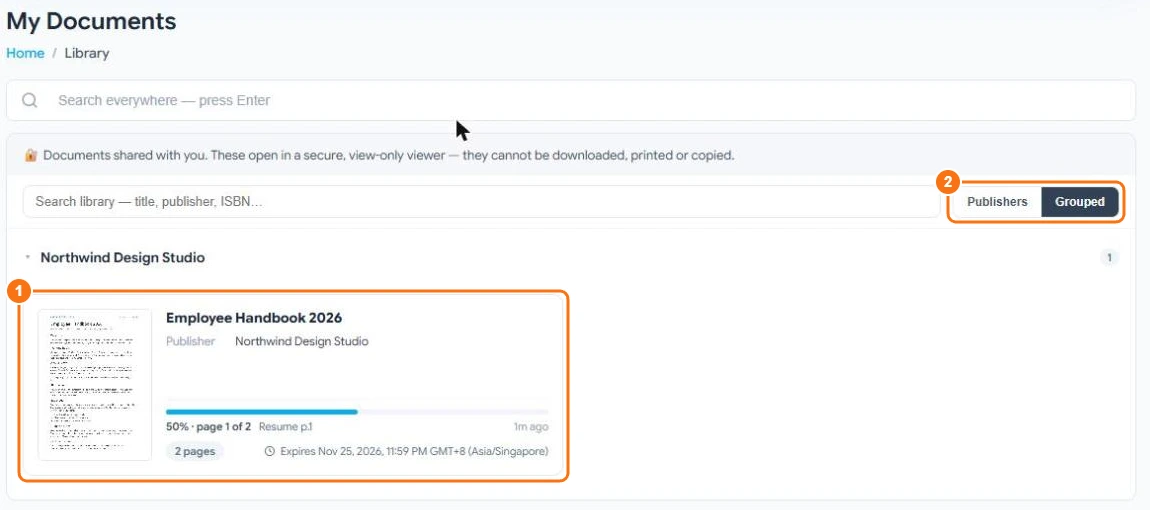
Every protected document sent to you is in My Documents → Library, as a book card with its cover, publisher, how far you have read and when access ends (1). Group them by publisher or as one list (2), and search by title, publisher or ISBN.
You can also add a protected document to an AI Workspace project, so Atlas AI can use it with your other sources while it stays protected.
When access ends
When the share expires or the sender revokes it, the link stops working and the document leaves your Library.