 DocuAssist.AI Guide
Protect and send a document with DRM
Protect & Send shares a PDF so recipients can read it but not keep it: they open it in a secure viewer that blocks downloading, printing and copying. Each recipient's copy carries a watermark, the share expires on the date you choose, and you can take access back at any time.
Nothing can stop someone photographing their screen. The watermark, which can show who the copy was for, is what discourages it.
Send a protected document
- Choose the document
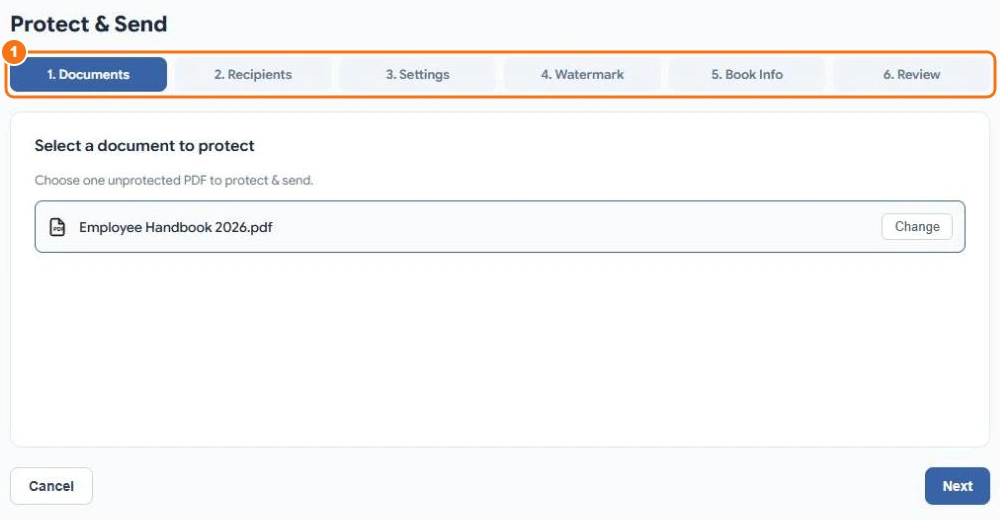
Select Send → DRM Documents in the menu, then Protect & Send. Select Select Document and choose an unprotected PDF. The six steps are shown across the top (1).
- Add recipients
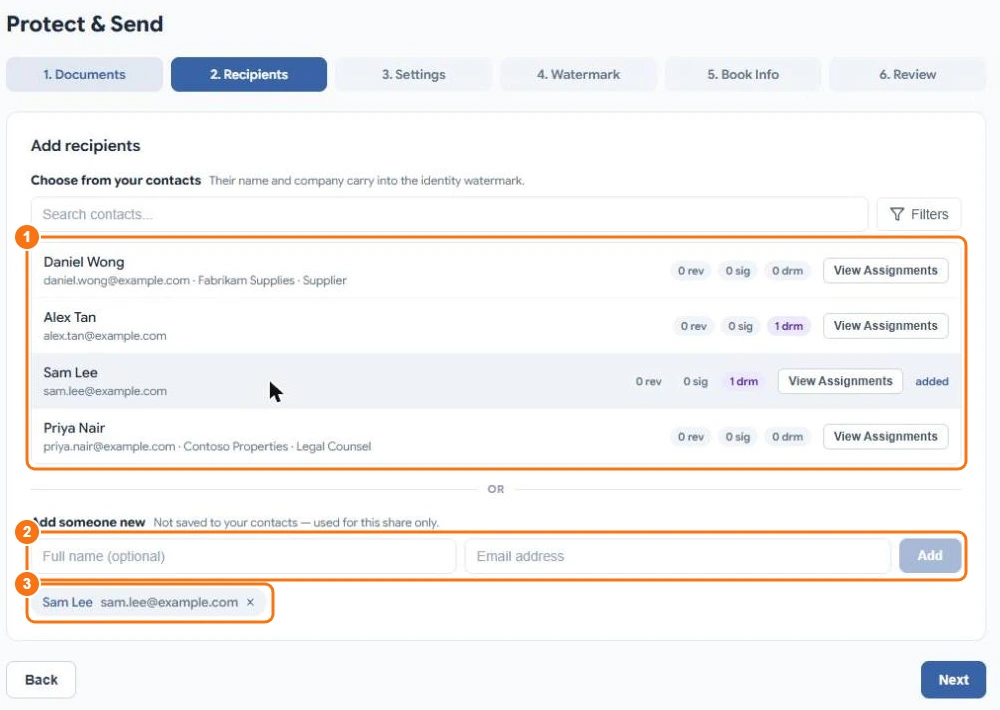
Pick people from your contacts (1) — their name and company can appear in the watermark — or type a name and email address under Add someone new (2). Everyone you add appears under the list (3).
- Choose the settings
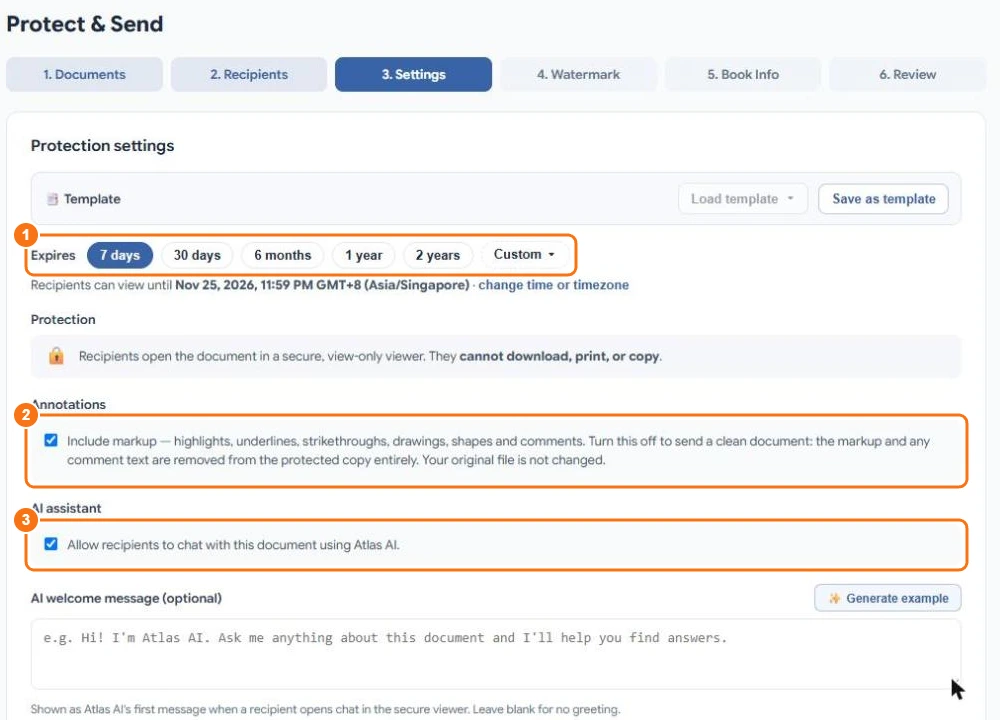
- Expires (1): 7 days, 30 days, 6 months, 1 year, 2 years or a date you choose.
- Annotations (2): keep your highlights and comments, or send a clean copy.
- AI assistant (3): let recipients ask Atlas AI about the document, with an optional welcome message.
- Optionally add terms recipients must accept, limit access to certain IP addresses or countries, and write a message to recipients.
Select Save as template to reuse these settings.
- Design the watermark
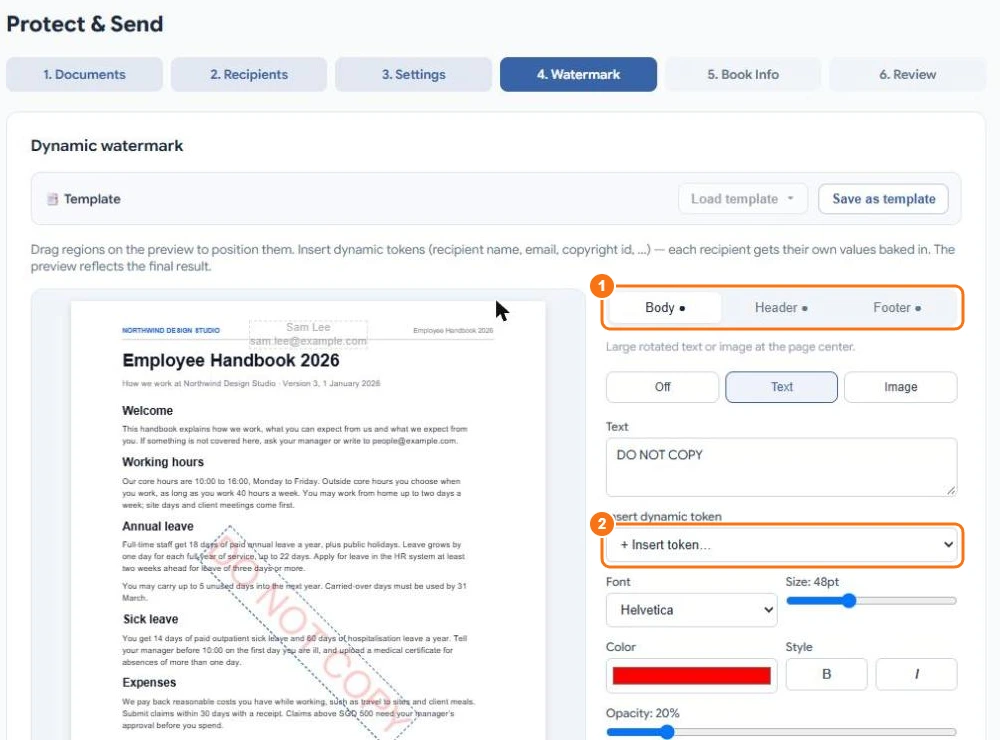
Set the Body (large text across the page), Header and Footer (1). Insert dynamic tokens (2) such as the recipient's name or email, the date, a copyright ID, or the time and place they opened it — each recipient gets their own. The preview shows the result. You can change the watermark after sending.
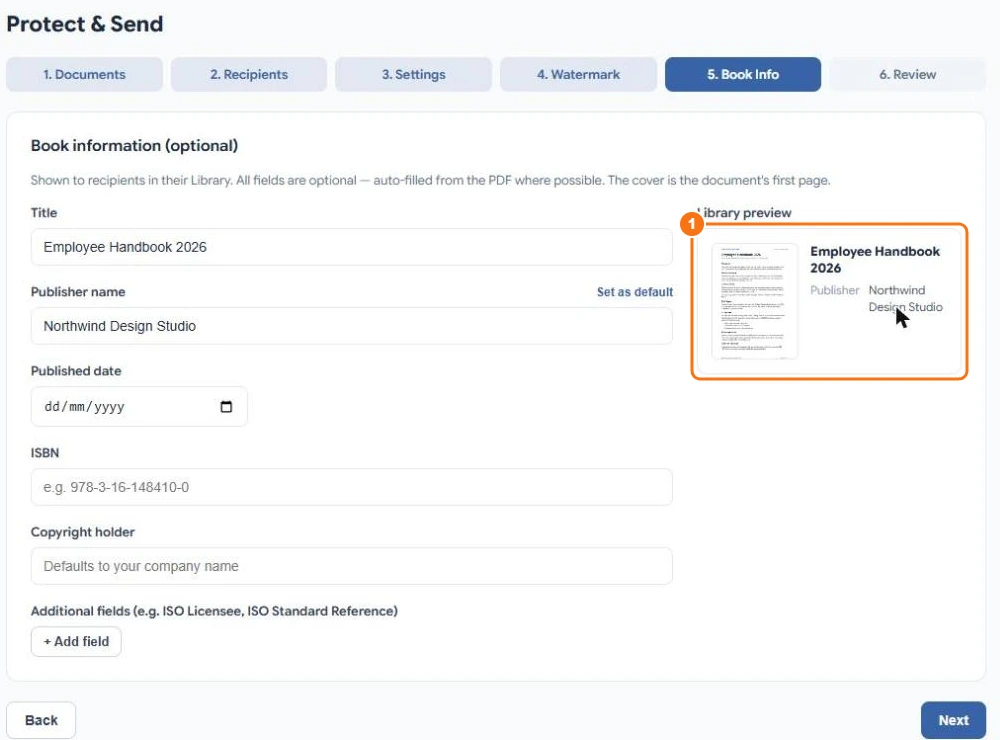
- Add book information
Optionally give a title, publisher, date, ISBN and copyright holder. They appear on the document's card in the recipient's Library (1).
- Review and send
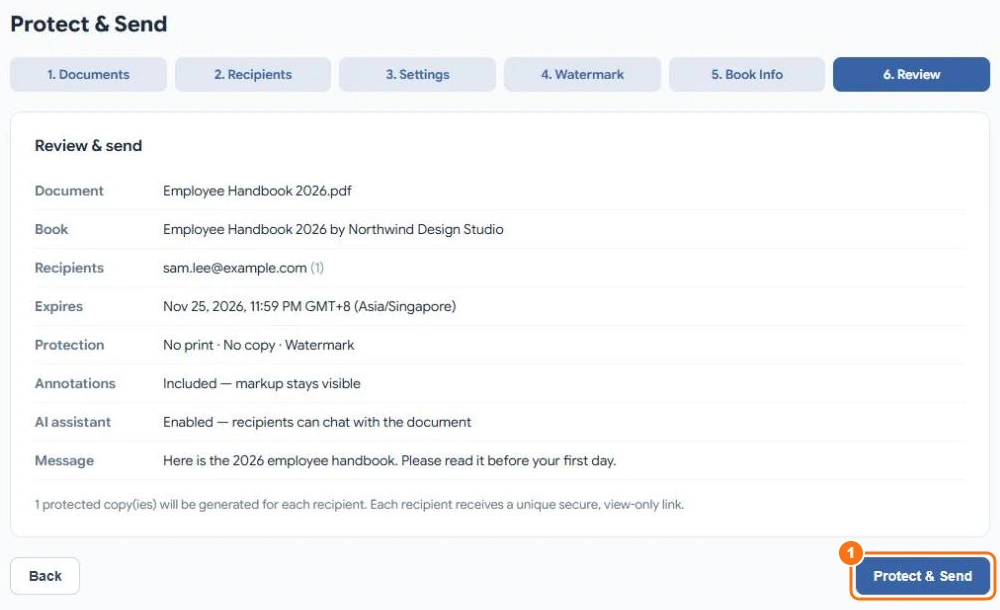
Check the summary and select Protect & Send (1).
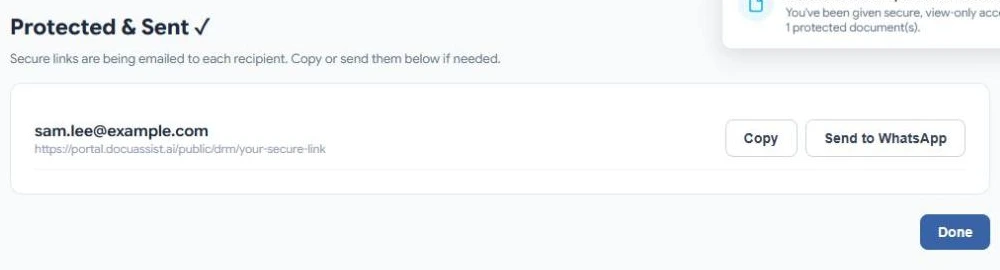
Each recipient gets an email with their own secure link. You can also copy a link, or send it by WhatsApp.
What it costs
Each protected document uses 200 credits, plus 5 credits per page for each recipient for each year the share lasts (part of a year counts as a year). For example, a 2-page document sent to one person for a week used 210 credits. See Credit rates.