 DocuAssist.AI Guide
Version 6.2.0 (20 November 2026)
DocuAssist.AI Version 6.2.0 (20 November 2026):
Highlights
The help center is one click away
A new Help center link sits in the menu, just above Contact Support, and the Contact Support page now points to the guides before you write to us. Both open in a new tab, so you keep your place in DocuAssist.AI.
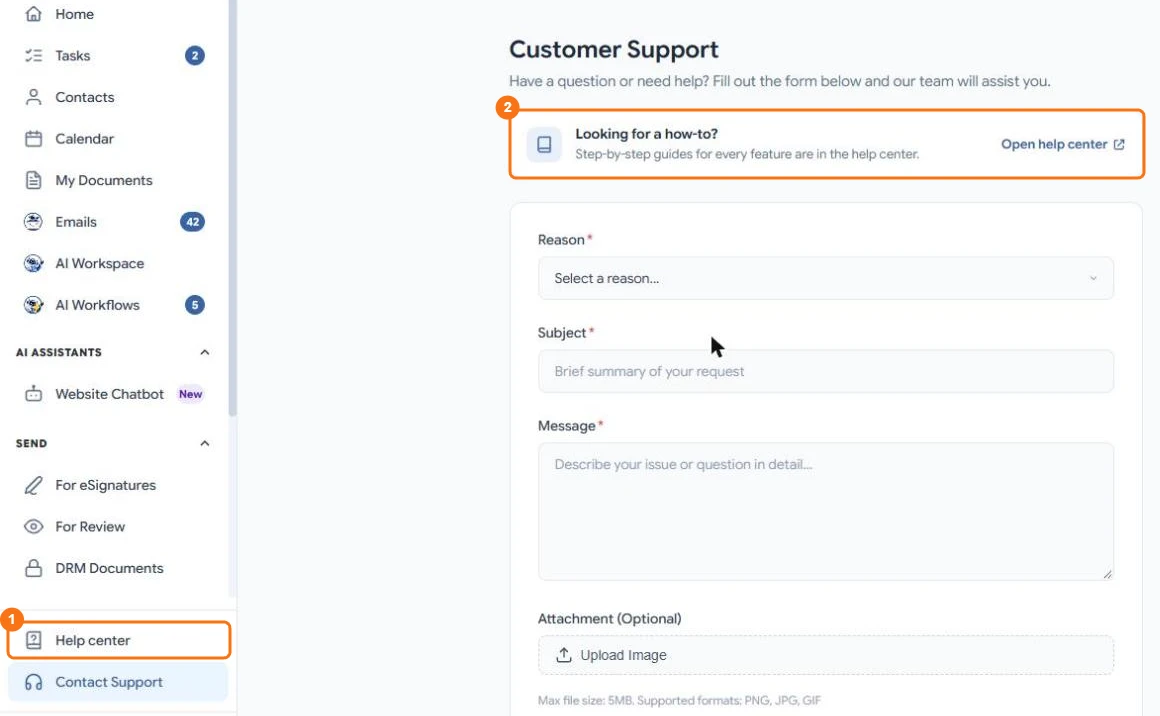
In the picture: 1 the Help center link in the menu, 2 the help center card on the Contact Support page.
Read the guide: Find your way around
A simpler Top Up Credits window
Choosing a credit pack is quicker: the four packs sit side by side, the window names every part of DocuAssist.AI your credits pay for, and a link takes you to the Credit rates page to see what each feature costs.
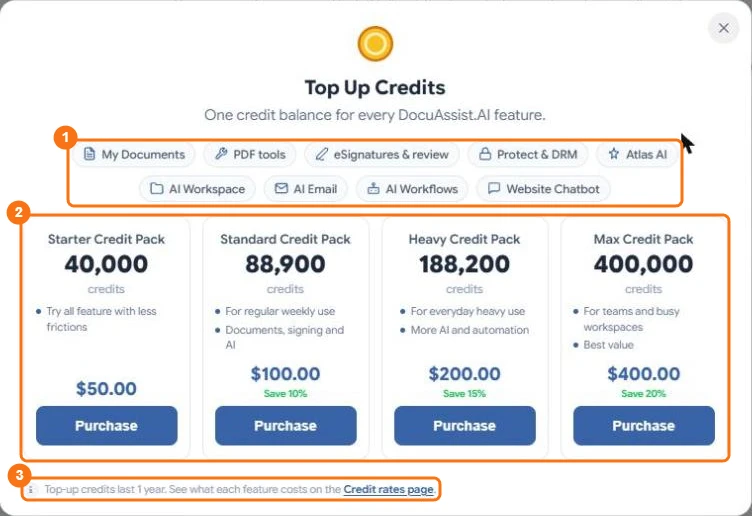
In the picture: 1 what your credits pay for, 2 the credit packs, 3 the link to the Credit rates page.
Read the guide: How credits work
You choose whether scanned email attachments are read by Text Recognition (OCR)
When a project or a workflow reads an attachment from your mailboxes, scanned pages can be read with text recognition. A new Attachments part in the Emails settings lets you turn this on or off for your own mailboxes.
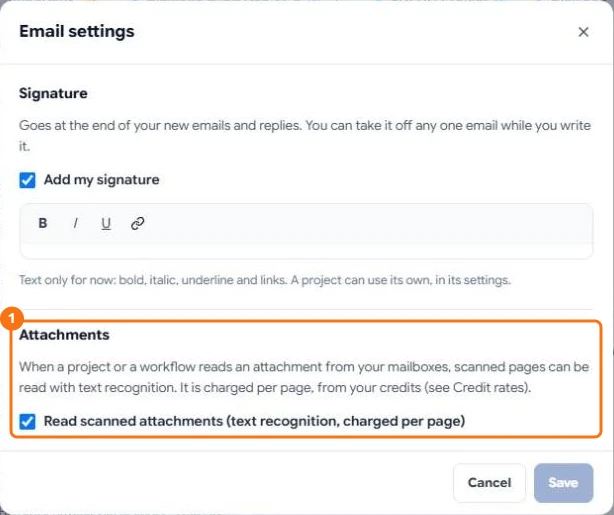
In the picture: 1 the new Attachments part with the Read scanned attachments switch.
Read the guide: Scanned documents and text recognition (OCR)
All changes
- Feature Updates:
- AI Email:
- New Read scanned attachments switch in the Emails settings, for the attachments that projects and workflows read
- Attachments in project emails now say when a scan is still being read, when text recognition is off, and that pictures aren't read
- AI Workspace:
- Scanned pages in project email attachments are read in the background, so the rest of the email is ready for Atlas AI sooner
- Plans and credits:
- The Top Up Credits window shows the four packs in one row, names what credits pay for, and links to the Credit rates page
- Help:
- A Help center link in the menu and on the Contact Support page
- AI Email:
- Bug Fixes:
- Attachments sent from AI Email and AI Workflows no longer arrive with the file extension twice, such as "report.pdf.pdf"
- The "credits used" note under an Atlas AI answer now includes the scanned pages Atlas AI read for it
- A project's progress bar for preparing files for Atlas AI no longer gets stuck before the last file
- A file Atlas AI cannot open is now shown as failed instead of waiting forever
- Text recognition of scanned pages is more reliable: very large or unusually shaped pictures no longer slow the service down