 DocuAssist.AI Guide
Contacts
Contacts holds the people you send documents to and work with. Contacts make sending faster — start typing a name when you share, send for signature or protect a document — and each contact's page shows everything you have sent them.
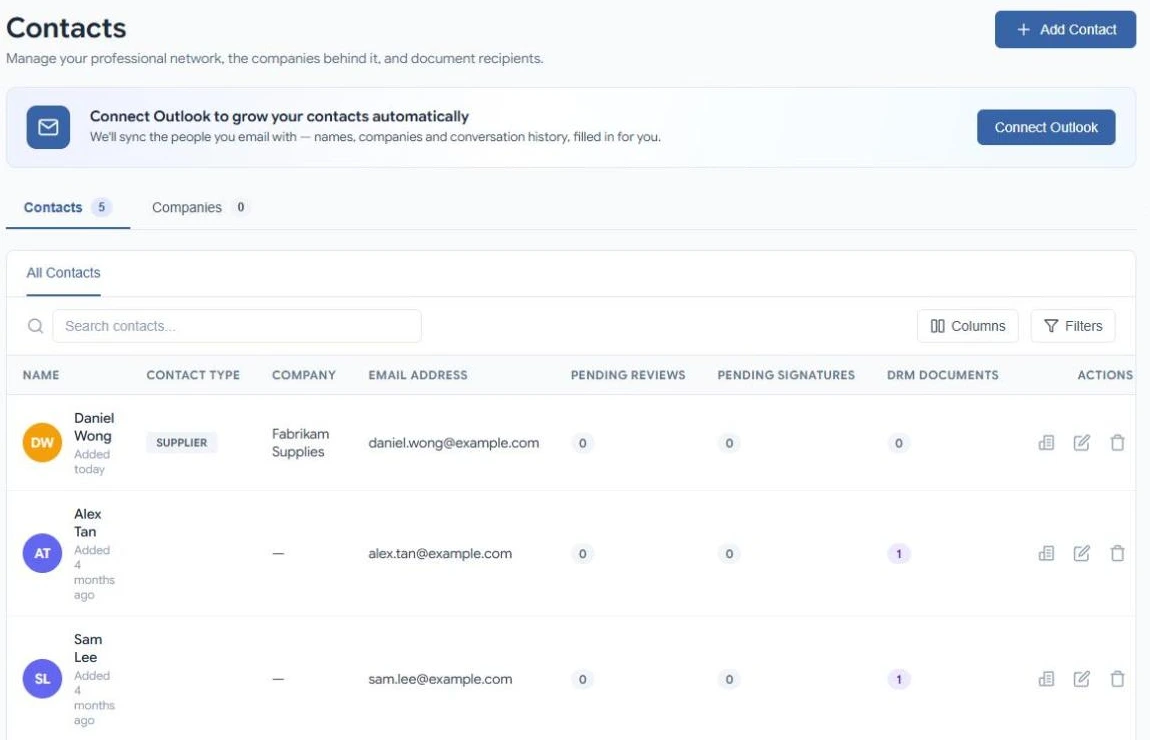
Add a contact
- Select Add Contact
In Contacts, select Add Contact.
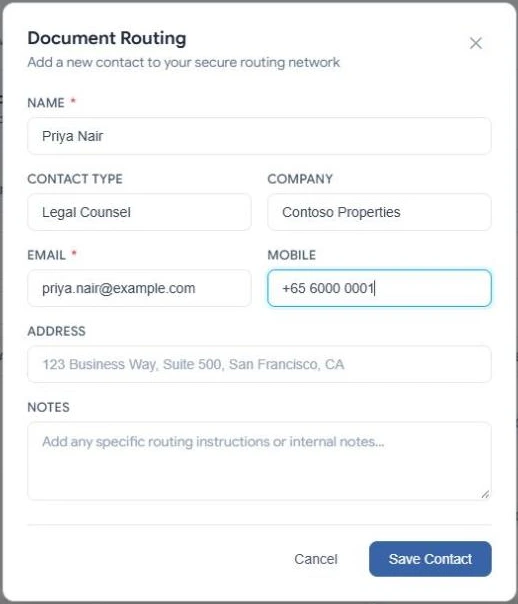
- Fill in their details
Enter at least a Name and an Email. Add a Contact type (for example Client or Supplier), their Company, Mobile, Address and Notes if you like.
- Save
Select Save Contact. Each email address can be used by only one contact.
Select Connect Outlook and DocuAssist.AI adds the people you email with — names, companies and conversation history — for you. See Companies, email sync and AI insights.
Find a contact
- Type in Search contacts.
- Select Filters to filter by name, contact type, company, email, mobile, address, notes or the date added. Filters combine.
- Select Columns to choose which columns to show.
The Pending reviews, Pending signatures and DRM documents columns show how many requests are open for each person. Select the first icon in Actions to list the actual documents, and open any of them.
A contact's page
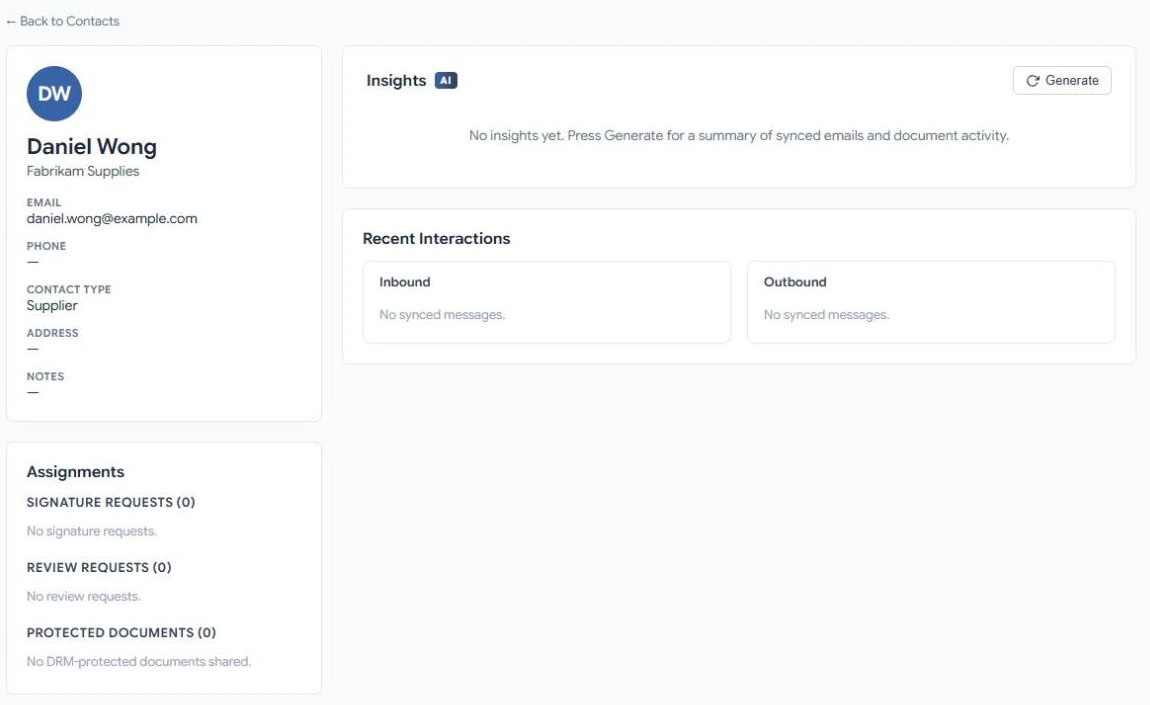
Select a contact's name to see:
- Their details. Select the pencil in the list to edit them, or the bin to delete the contact.
- Insights — an AI summary of your emails and documents with them. See AI insights.
- Recent Interactions — emails they sent you and you sent them, once your mailbox is connected.
- Assignments — their signing requests, review requests and protected documents.
Plan limits
The free Basic plan includes a small number of contacts; paid plans include unlimited contacts. See Plans and pricing.