 DocuAssist.AI Guide
AI Workspace overview
AI Workspace keeps everything about one client or job in one project: its files, emails, Teams chats, notes, links, a tracker of what has to happen, and a team. Atlas AI reads all of it, so you can ask a question about the project and get an answer with its sources, reply email, or have it write a report.
What a project holds
| Tab | What it is for |
|---|---|
| Project | The project's home: details, the important deadline, a timeline, your tasks, the team, upcoming dates, recent files and emails. |
| Ask Atlas AI | Ask questions about everything in the project, and have Atlas AI write documents. |
| Files | The project's folder in My Documents, plus files attached from elsewhere and folders kept in step with SharePoint or OneDrive. |
| Emails | The project's emails, straight from AI Email. Nothing is copied out of your mailbox. |
| Links | Websites, Google files, Figma, Jira, Confluence and other links the project uses. |
| Chats | Chat rooms for the people on the project. |
| Tracker | What has to happen, who has it and when, as a list, board, calendar or timeline. |
| Notes | Meeting notes, calls, scope and decisions. |
Open AI Workspace
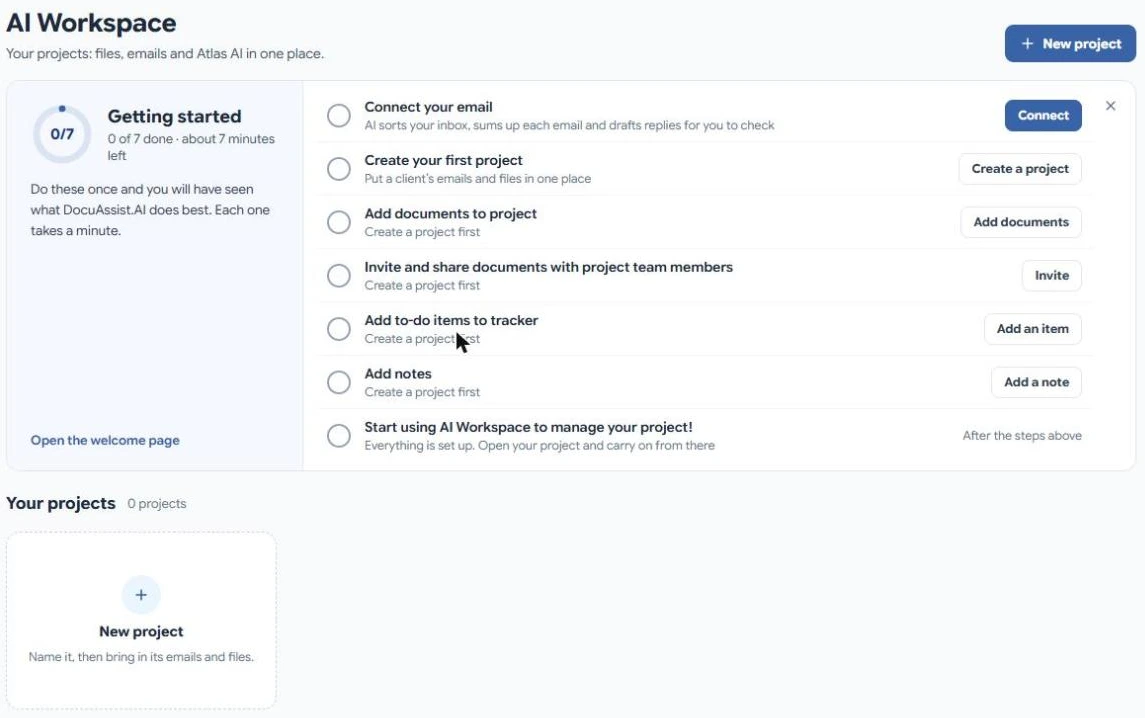
Select AI Workspace in the menu. You see your projects as cards, projects others shared with you, and, while you are new, a Getting started checklist.
Getting started
The checklist walks you through the first steps: connect your email, create a project, add documents, invite your team, add to-do items and notes. Each step ticks itself when you have done it. Select the cross to hide the checklist.
Who can see a project
You decide who is on each project and what each person can do. Emails, Teams chats and linked folders you connect stay private to you until you share them. See People and sharing.
Does it cost credits?
Creating projects, notes and the tracker is free. Atlas AI answers, documents it writes and getting files ready for Atlas AI use credits. See Credit rates.