 DocuAssist.AI Guide
Review a document
When someone asks you to review documents through DocuAssist.AI, you get an email with a link. If you have an account, the request also appears in Tasks with a Review button.
Review
- Open the request
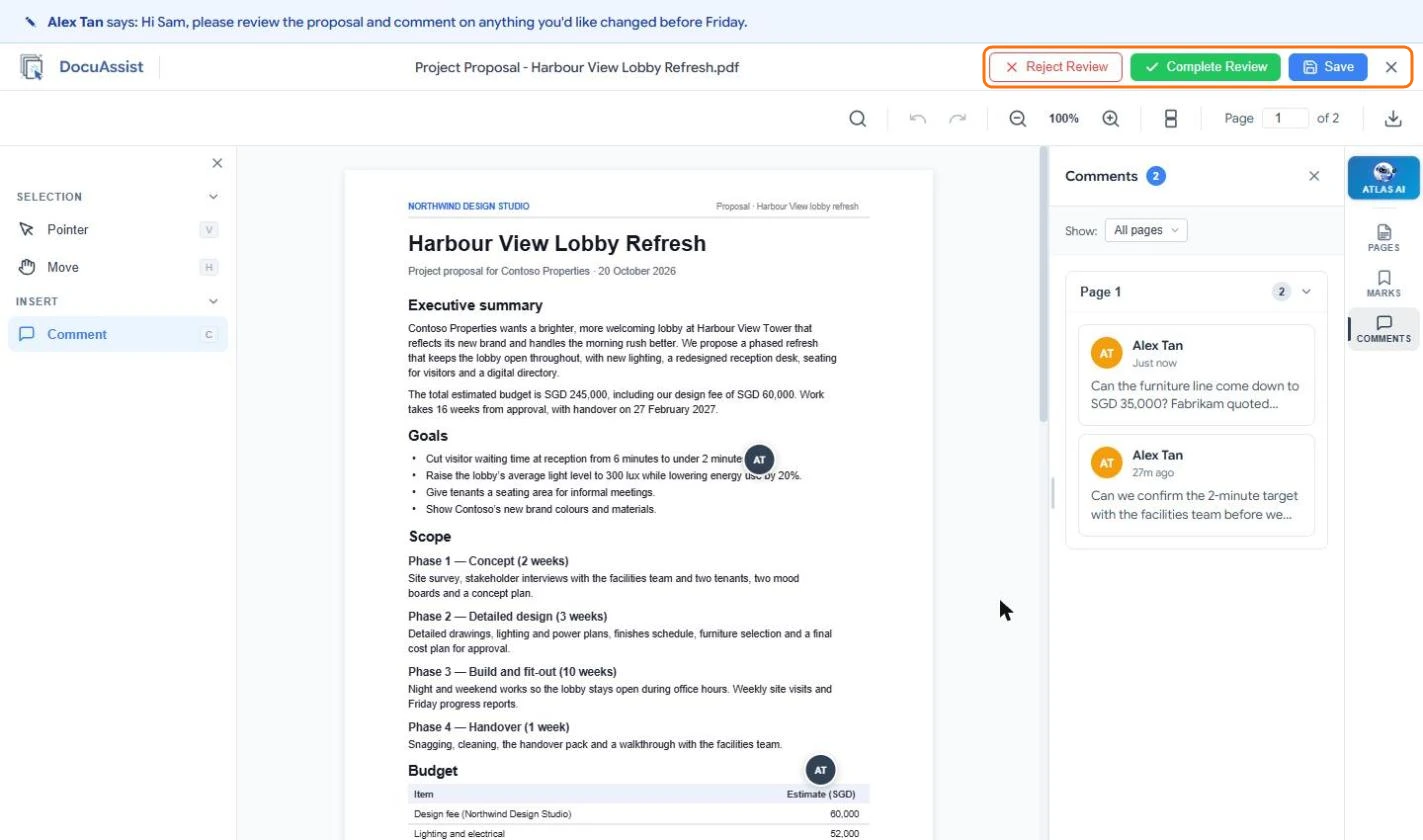
Select the link in the email, or Review in Tasks. The sender's message is shown at the top.
- Comment on the page
Select Comment, click the spot you want to talk about, type your comment and select Post. Reply to other people's comments in the Comments panel.
- Finish
Select Complete Review when you are done, and confirm. The sender is told. If the request has several documents, review each one; you see a thank-you message when every document is done.
If you cannot approve it
Select Reject Review and explain why. The sender is told.
Completing a review cannot be undone. If you need to add something afterwards, ask the sender to send a new request or share the document with you.